
Exactly What You Get, In Plain Language
No jargon and no fluff — what each part of Eduysle does, what you can configure, and where we do it better. Built for primary and secondary schools across Africa.
Eduysle in Two Minutes
Click through the story, or use the fullscreen button to present it.

The problem
Your school runs on paper, memory and hope
- Results computed by hand, or across spreadsheets that disagree
- Attendance registers that go missing
- Parents calling the office because there is no other way to check on their child
- Exam papers to print, guard and mark
What Each Part Actually Does
A module is an area your school works in — its own screens, its own records, its own permissions. Here is every one of them, in plain language.
Assessment
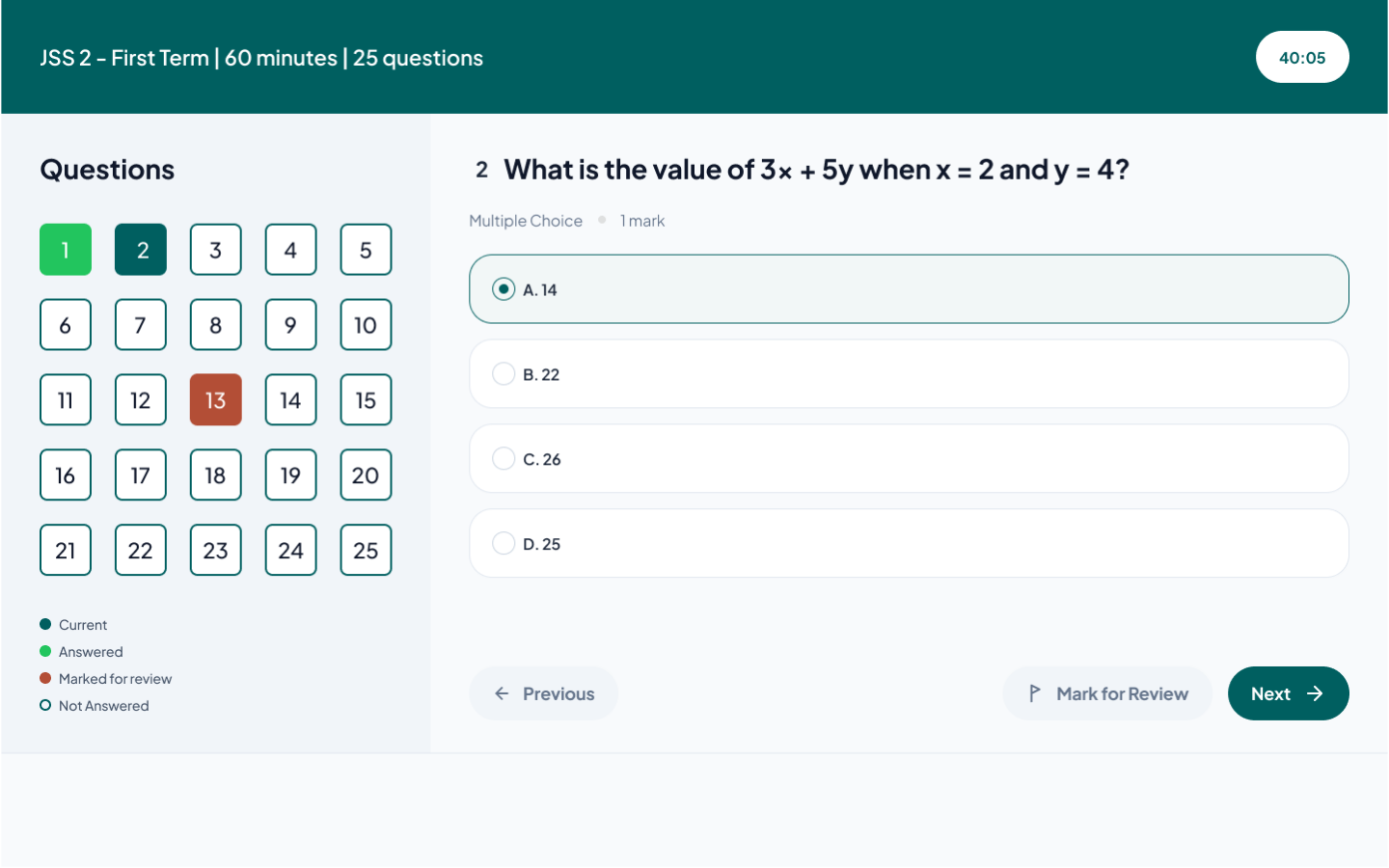
CBT Exams
Set an exam once, and let the software run it, invigilate it and mark it — whether or not the network holds.
Runs offline — Answers are held on the student's device and sync when the connection returns — a dropped network does not end the exam.
Anti-cheat built in — Shuffle questions and options per student, cap tab-switches with auto-submit, enforce fullscreen, and optionally capture webcam photos.
Live monitoring — Watch who is taking what and how far along they are — then pause, extend, stop or force-submit an exam while it runs.
Question bank — Save questions once and reuse them across exams, terms and sessions.
Preview before you publish — Dry-run any exam exactly as a student would see it — no password, and nothing saved or submitted.
Real exam settings — Images in questions, question groups, per-exam instructions, an on-screen calculator, timing and scheduling.
Results at a glance — Participation, average score and pass rate for every exam, exportable to CSV, JSON or Excel.
Students sit an exam with a password — no account to create, nothing to install. Platforms that require every student to be provisioned a login turn exam day into an IT project.
The foundation
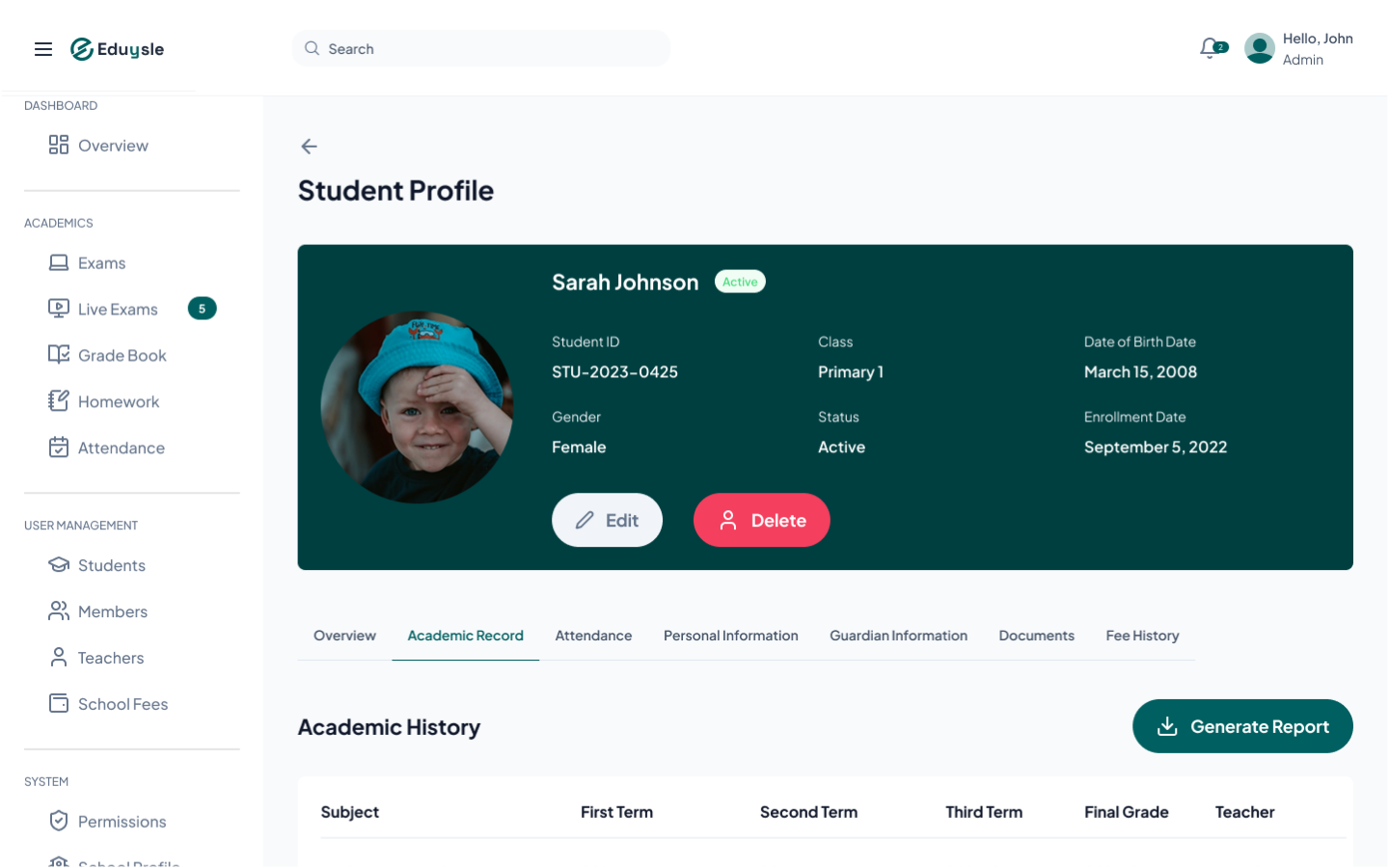
Student Records
One place for every student — replacing the folder cabinet, the class register and the three spreadsheets that disagree with each other.
Full profiles — Photo, admission details, class, contact information and status — searchable and filterable.
Guardians — Primary and secondary guardians per student, with the phone numbers pickup alerts and result links use.
Documents — Birth certificates, transfer letters and reports attached to the student, compressed automatically on upload.
Your academic structure — Classes, subjects, sessions and terms defined the way your school actually runs.
End-of-session promotion — Move a whole class up a level in one step, and graduate your final-year students — no re-typing.
Bulk import — Bring an existing roster in from Excel, photos included, instead of entering hundreds of students by hand.
Leavers keep a status — graduated, transferred, archived — instead of being deleted. Your plan only counts ACTIVE students, so keeping your history costs you nothing.
Results
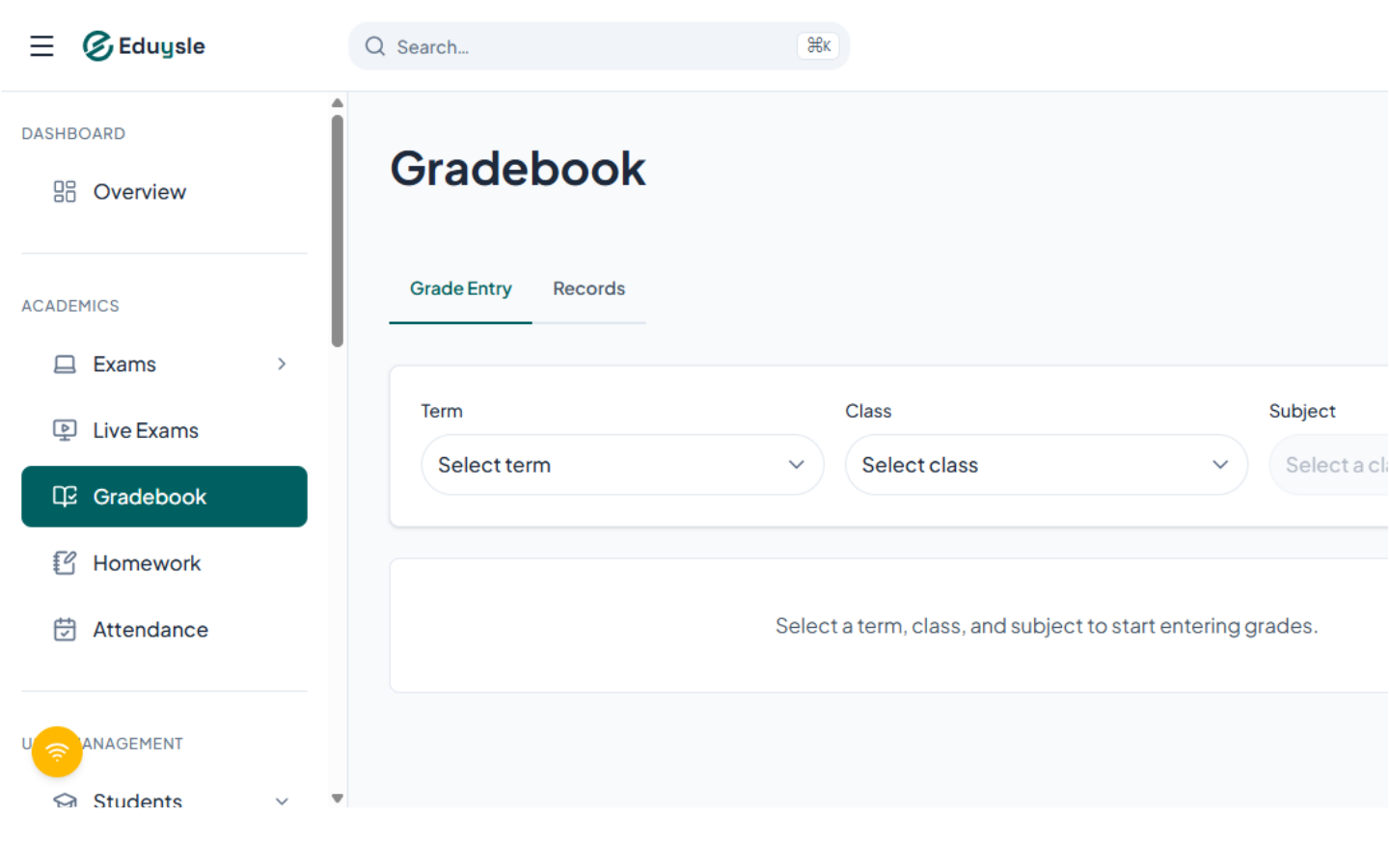
Gradebook
Enter each score once. Averages, letter grades and everything downstream compute themselves.
Score entry by roster — Pick a term, class and subject and work straight down the list — built for entering many scores quickly.
Automatic grading — Letter grades and term averages are computed as you type, using your school's grading scheme.
Feeds the parent portal — A published result is immediately what a parent sees on their private link — no second export step.
Records and export — Browse a term's records and export to CSV, JSON or Excel — with one sheet per class when you export them all.
Marking, computing and publishing are one action, not three. Report cards and result sheets are next, and build on exactly this data.
Every day
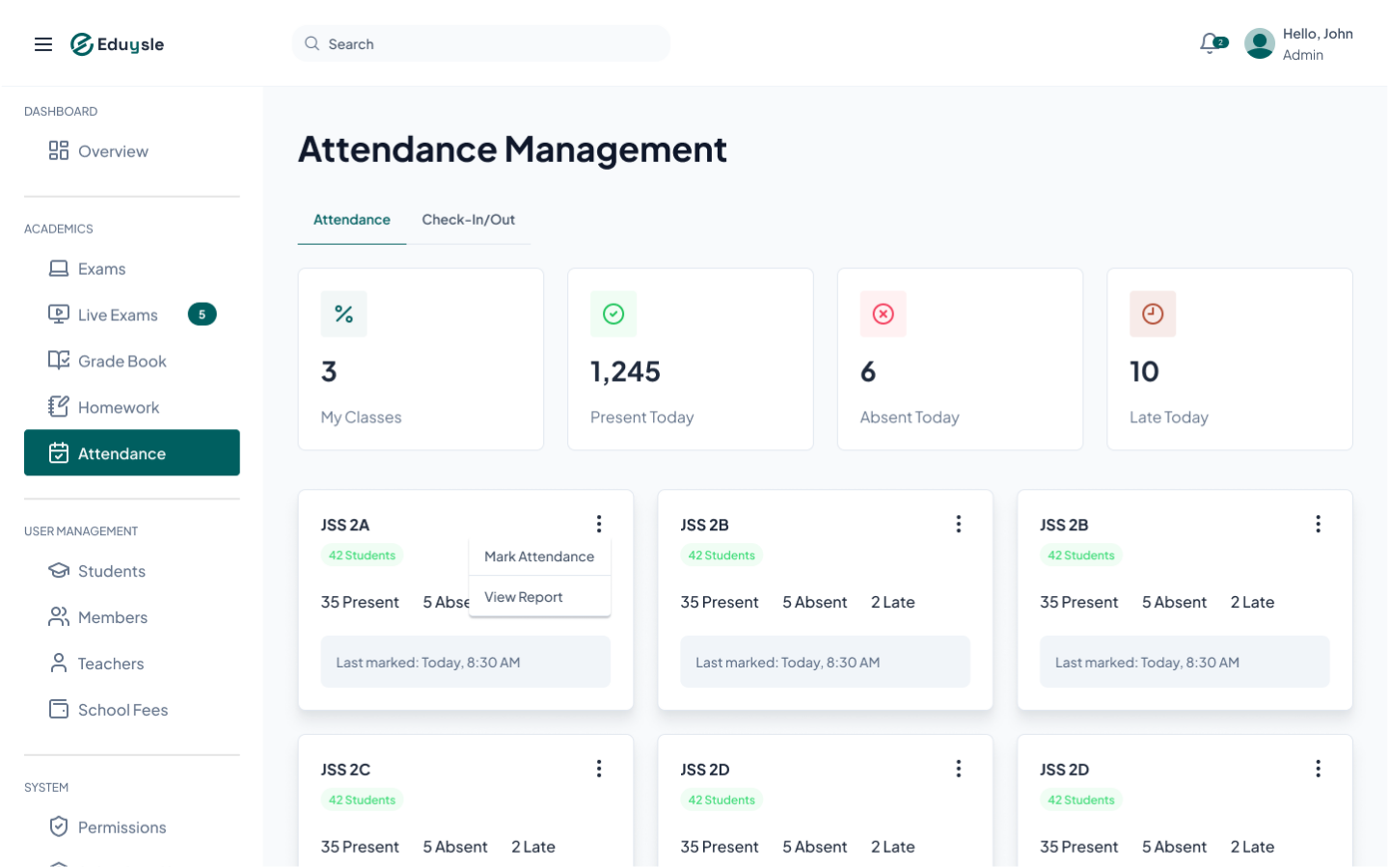
Attendance
Know who is in the building, who left, and who they left with — without a paper register that can go missing.
Daily register — Mark present, absent or late per class, with the day's totals visible at a glance.
Gate check-in and check-out — A log of who arrived, who left, at what time — and which guardian dropped off or collected each child.
Private pickup alerts — When a guardian arrives, one tap notifies that child's teacher directly.
It replaces the PA announcement. Nobody broadcasts a child's name across the school to say their driver is waiting — the right teacher simply gets a notification.
Light LMS
Homework
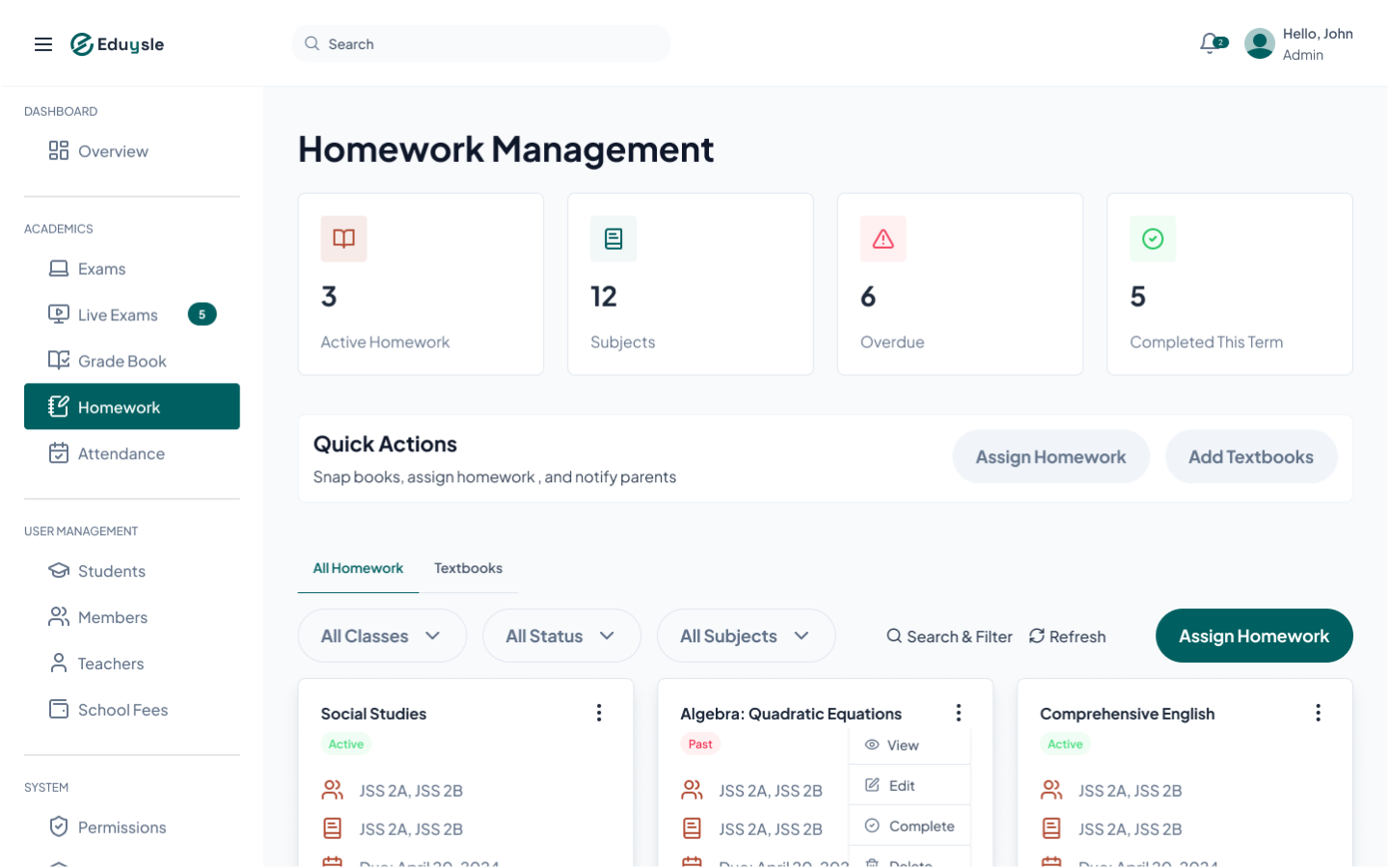
Set homework, get it to parents on the channel they already use, and keep a record of who has turned theirs in.
Assign by class and subject — Set the work and a due date; it appears for the right class immediately.
Textbook library — Keep the textbooks your school uses on file, with covers, and reference them from any assignment.
Private share links — Generate a secure link and send it to parents over a WhatsApp broadcast — nothing to install on their side. The link is read-only: parents see the work, they do not submit through it.
Submission tracking — Work is still handed in on paper. The teacher ticks off each student who has turned theirs in, so the outstanding list is on record instead of in a notebook.
Homework reaches parents the same way results do — a private link, no account. Most platforms need every parent to download an app first, which is where the process usually dies.
Parents
Parent Results Portal
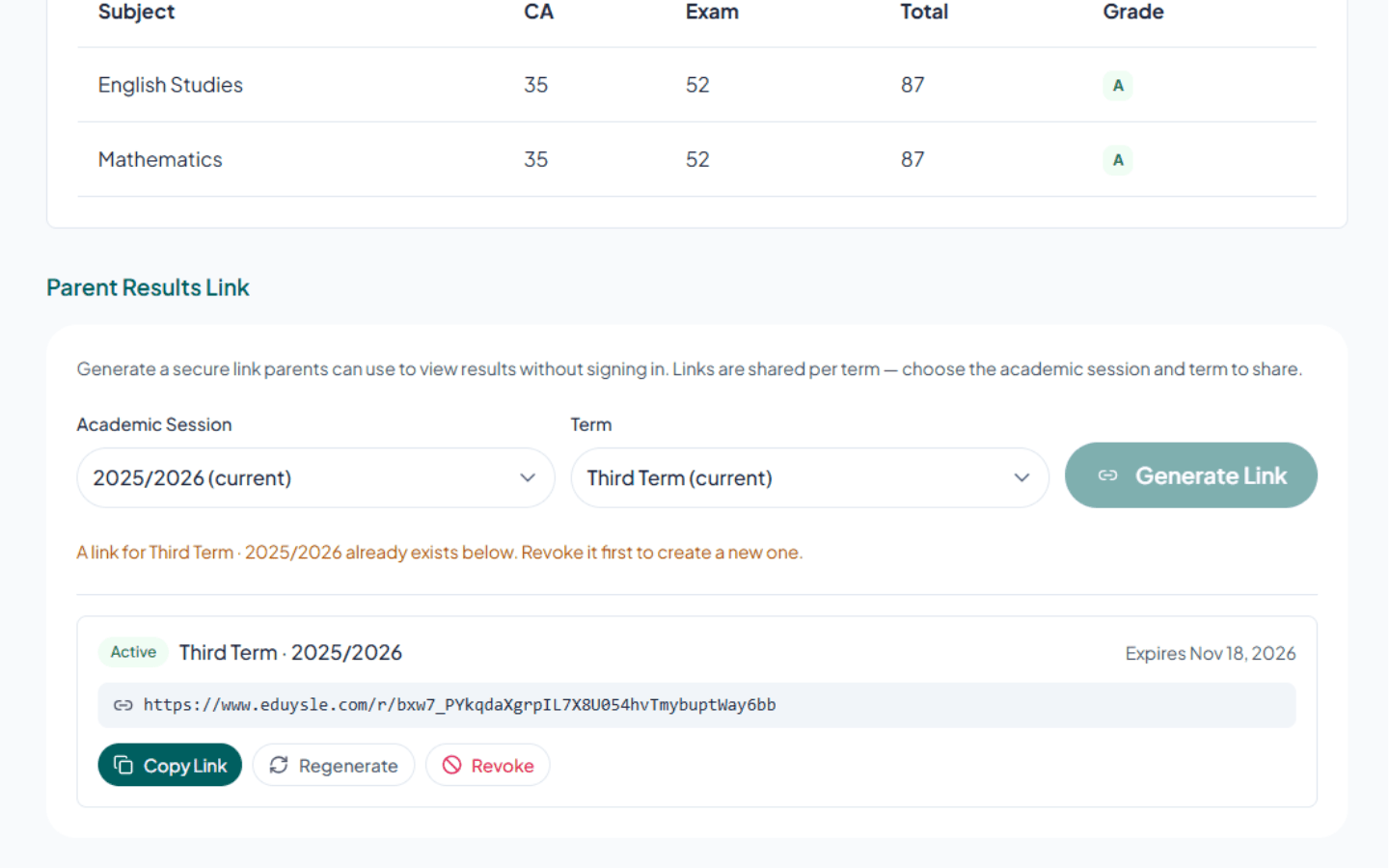
Parents check their child's results themselves, so your office stops fielding the same phone call every term.
A private, tokenised link — Each link opens exactly one child's results and nothing else, and can be revoked.
No account, no app — No password for a parent to forget and no download to talk them through — the link simply opens.
Printable — School-branded and ready to print if a parent wants a hard copy.
Re-opens offline — Once a parent has opened the link, it still works on a bad connection.
The reason most parent portals fail is that parents never sign up. This one has nothing to sign up for.
True Everywhere, On Every Plan
These are not modules you visit — they run underneath all of them, and none of them costs extra.
Multi-User Accounts
Up to five staff stay signed in on one computer — or one installed app — and switch between accounts instantly, without retyping a password. Each account locks behind its own PIN, so a colleague stepping away never locks anyone else out.
Role-Based Access
Owner, Admin and Teacher, plus custom roles like Bursar or Exams Officer — each with per-permission control over exactly what they can see and do.
Works Offline
Install Eduysle like an app. Core screens and the exam engine keep working on a bad connection, then sync when it returns.
App Lock
Step away from a shared office computer and lock Eduysle behind a PIN — without signing out or losing what is on screen.
In-App Notifications
A notification feed for every staff member, so what matters is on the record instead of in someone's head.
Global Search
Press Ctrl+K and jump straight to any student, exam or page — from anywhere in the app.
Your Data Stays Yours
Your school's records are isolated from every other school at the database level by row-level security — not just behind a login screen.
Bulk Import
Bring an existing student list or question set in from Excel instead of typing it all again.
Data Export
Take your data out whenever you want it — CSV, JSON or Excel. Your records are never held hostage.


Coming Soon
More powerful tools are on the way as we keep building Eduysle.
Online Fee Payment
Collect Fees Online
Let parents pay school fees online, settled straight to the school.
Report Cards & Result Sheets
Termly & Cumulative Reports
School-branded report cards that compute themselves from the Gradebook — printable and shareable.
Bulk SMS & WhatsApp
Instant Parent Updates
Send results and announcements to every parent in a few clicks.
Parent Portal (All Wards)
One Login, Every Child
Parents with more than one child see every ward's results and updates from a single account.


Ready to Transform Your School?
Join schools across Africa using Eduysle to simplify administration and enhance learning outcomes.
Completely free during our beta — until 31 August 2026. No debit card required.